 DzealAI
Many clinics still use intraoral film, and sooner or later you need a digital copy: to send to a specialist, to show a patient on screen, or to keep alongside your notes. A phone photo is the quickest way, but a careless one hides exactly what you wanted to show. The periodontal ligament space disappears into glare, the apex blurs, and a tilted shot makes roots look longer or shorter than they are. A few simple habits avoid all of that.
Remember orientation: The raised identification dot faces the X-ray tube during exposure. If you photograph the film with the convex side of the dot towards you, you are viewing it as if facing the patient, the usual way films are mounted.
1. Light the film evenly from behind
Place the dry film on an X-ray viewer. If you don't have one, a tablet or laptop showing a plain white screen at full brightness works well.
Handle the film by its edges and make sure it is completely dry. Fingerprints and water marks show up clearly in a photo.
Avoid holding the film up to a window or a ceiling light: the light behind it is uneven, and part of the film will look darker than it really is.
2. Block the light around the film
This is the step most people skip, and it makes the biggest difference. Bright light spilling around the edges of the film enters the lens and washes out contrast across the whole picture. Cut a window the size of the film in a piece of black card or thick dark paper, and lay it over the viewer so that only the film is lit.
3. Switch off the room lights
Overhead lights and windows reflect off the shiny film surface and show up as pale patches. Dim the room so the viewer is the only light source.
4. Hold the phone parallel to the film
Hold the phone flat, directly above the film, with the film centred in the frame. If the phone is tilted, the image is distorted: roots look stretched or shortened, just as with incorrect angulation when the film was exposed. That matters if the copy will be used to judge root length, working length or bone levels.
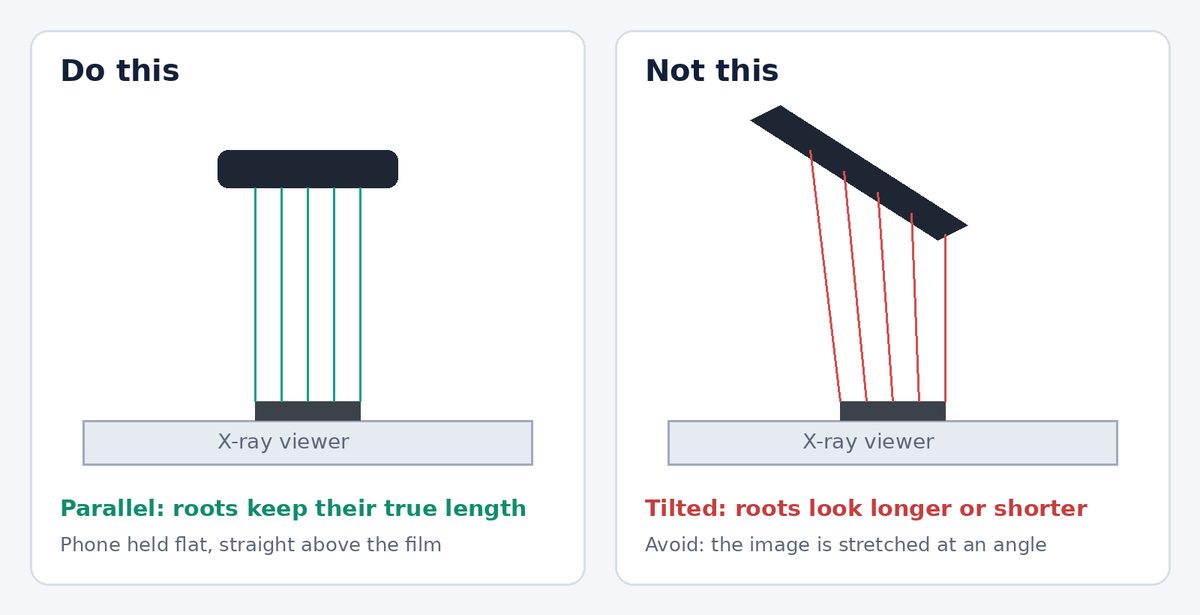
Resting your elbows on the table, or using a small phone stand, keeps the phone steady and parallel.
5. Get the camera settings right
- Turn the flash off.
- Use the normal photo mode, not portrait, beauty or document-scan modes. Scan modes often crop the film and push the contrast too far.
- Fill the frame with the film. If you need to, use the phone's 2× lens rather than moving very close, so the image stays in focus.
- Tap on the film to focus, then slide the exposure (brightness) slightly down so the lighter areas don't burn out.
- Take three or four photos and keep the sharpest one.
6. Check the photo before you put the film away
Zoom in on the screen and check that you can see what matters for this case: the apex, the periodontal ligament space and lamina dura, the crest of the bone, and any restoration margins. If they were visible on the viewer but not in the photo, retake it.
7. Share it carefully
Patient images are personal data. Before sending a photo, make sure the frame doesn't show the patient's name on a mount or envelope, share only with people involved in the patient's care, and keep the patient's consent in mind.
On WhatsApp, send the picture as a document rather than as a photo. Photos are compressed heavily, and fine details such as the PDL space are the first to go.
What a phone photo can't do
A good photo is a convenient copy, not a replacement for the original. Keep the film itself in the patient's record. A photo can't recover detail the film never captured: if the film is under- or over-exposed, cone-cut or blurred from movement, the answer is a better radiograph, not a better photo.
If a photo is a little flat or grainy, image enhancement can make it easier to read, as long as you always compare it with the original.